 AIVideoFree
Photo to Cartoon Converter
Turn a photo into a cartoon that still looks like the person in it — a dozen styles from clean line art to 3D animation. Three free conversions a day, no account.
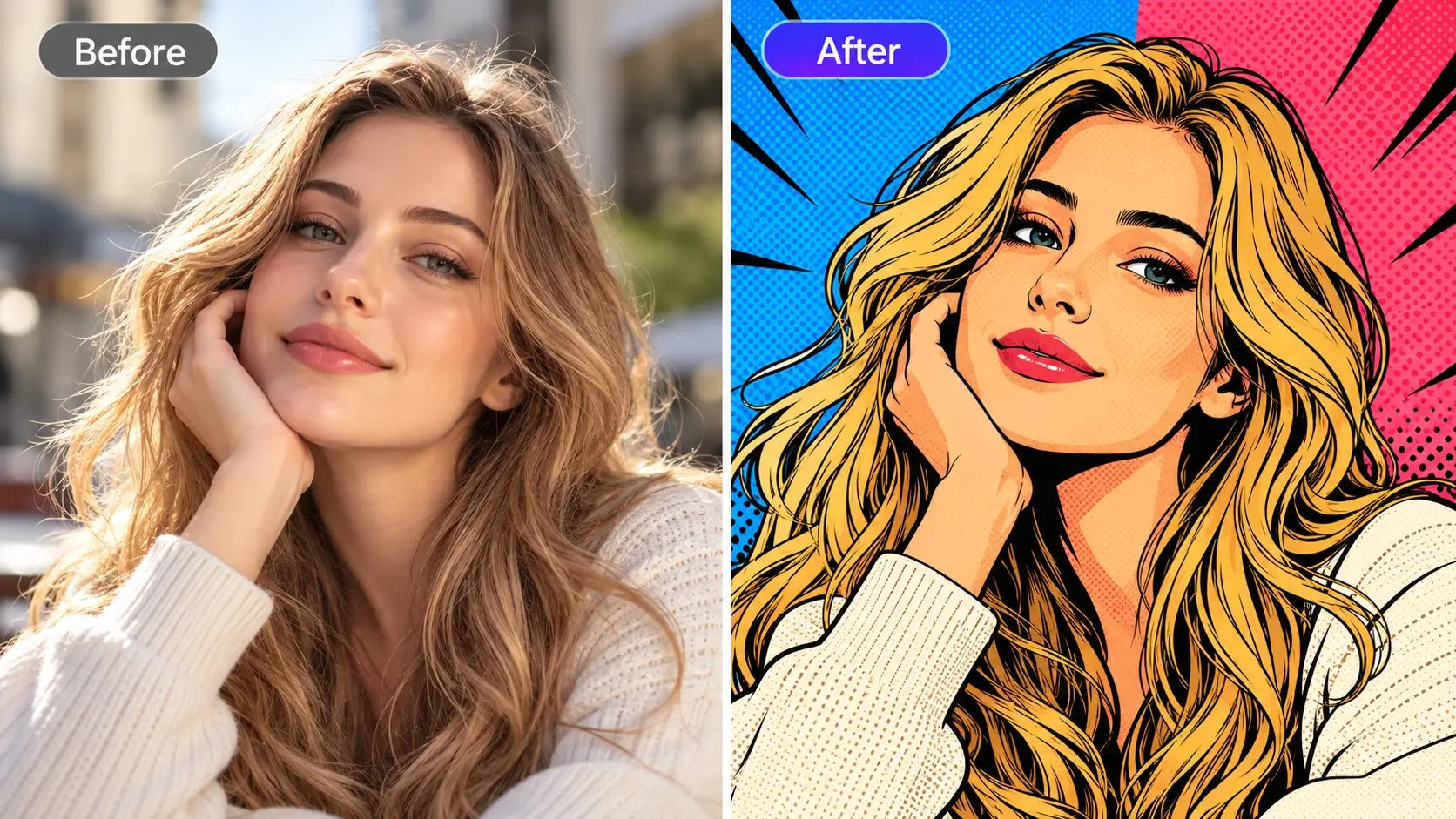
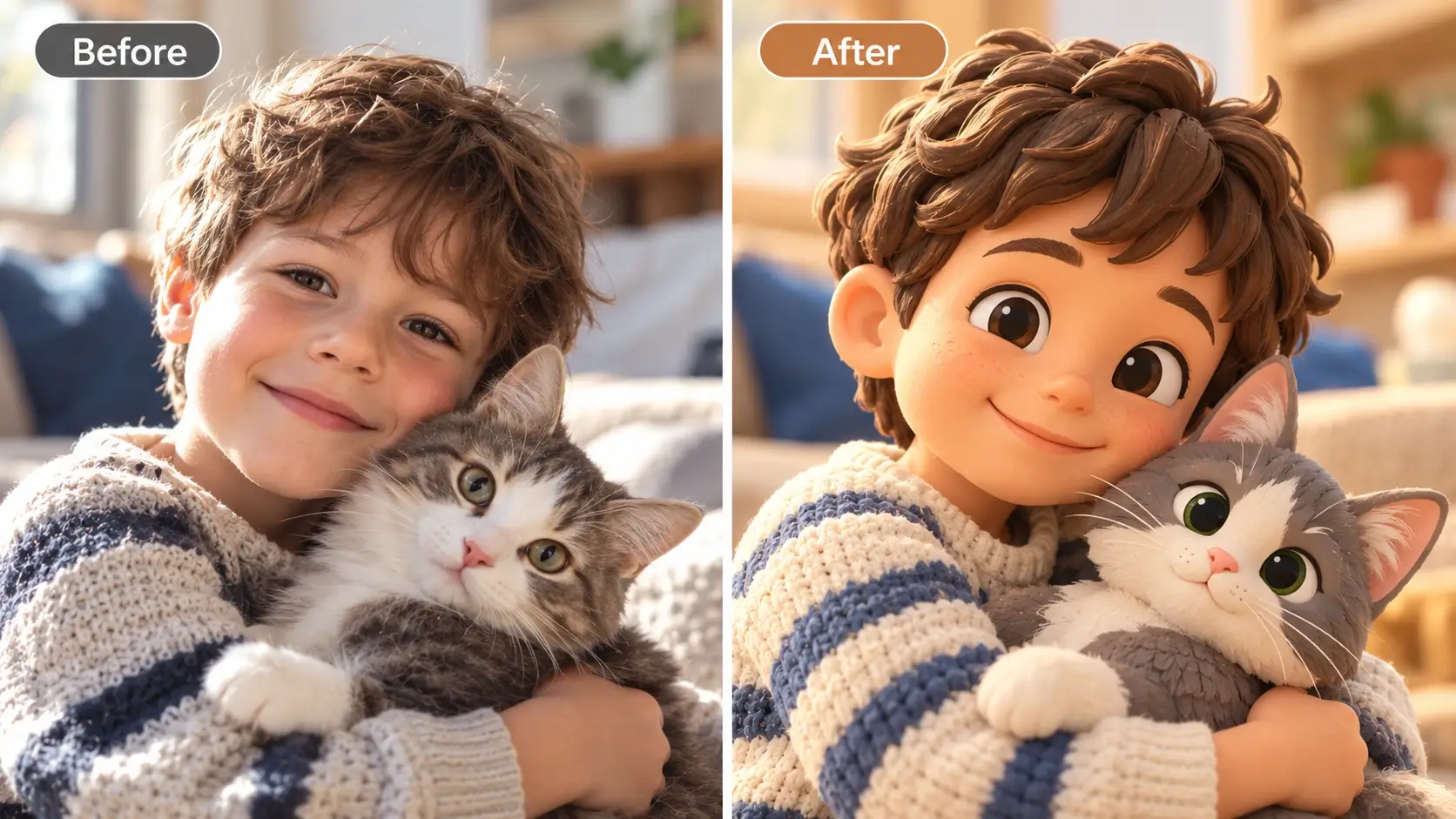
Input
JPG · PNG · WebP · HEIC, 20 MB
Styles
Cartoon · anime · comic · 3D
Likeness
Preserved by default
Output
Up to 2K on credits
Free tier
3 conversions daily, no account
Typical time
10–25 seconds
Your uploads
Deleted within 24 hours
Our one-line verdict: the test is whether your friends recognise you. Plenty of tools produce a nice cartoon of someone else — this page is mostly about the settings that stop that happening.
Every photo-to-cartoon tool produces a cartoon. The interesting question is whether it produces a cartoon of you. The failure is consistent and easy to spot: the output is competent, appealing, and belongs to a stranger who shares your haircut. It happens because the model treats your photo as inspiration rather than as the subject, and it happens most when the style is dialled far from realism. The fix is boring and reliable — name the features that must survive, start with a style close to your photo's structure, and use a clear front-facing source. Three free conversions a day means you can find the setting that keeps your face yours without paying to experiment.
How to turn a photo into a cartoon in 3 steps
Upload a clear photo
Front-facing, well lit, face unobstructed. The same conditions that help every face tool help here — and a cluttered background is the second most common cause of a poor result.
Pick a style, then protect the face
Choose cartoon, anime, comic or 3D — then name what must survive: 'same hairstyle, same glasses, same expression, friendly not exaggerated'.

Compare, adjust, download
Use the slider to check it against the original. If the face drifted, try a gentler style before rewriting the prompt.
What people cartoon
An avatar that's still you
The most common use by far: something friendlier than a photo for a work chat, a forum or a group thread — recognisable without being a headshot.
Family portraits, illustrated
A framed cartoon of a family photo, a card with the dog in it, a print for a birthday. Low effort, disproportionately well received.
Team pages with a consistent look
Twelve staff photos shot on twelve different phones, converted in one style, and suddenly the about page looks designed rather than assembled.
Where it works well — and where it struggles
The right column is half technical limits and half rules we've chosen. Knowing the failure modes before you upload saves more time than any guide.
Where it works well
• Likeness, if you ask for it.
Naming what must survive — the glasses, the hairline, the expression — is the difference between a cartoon of you and a cartoon of somebody. It's on by default here.
• A real range of styles.
Clean vector-ish cartoon, anime, inked comic, soft 3D animation. They fail differently, so having several to try matters more than any one being perfect.
• Groups and pets.
Family photos and dogs both convert well, and they're most of what people actually upload. Keep the group small — four or five faces is where quality starts to slip.
• Free enough to experiment.
Three a day, no account. Style choice is personal and the only way to find yours is to try a few.
Where it struggles
• Strong styles cost likeness.
The further the style sits from photographic structure — heavy anime, chunky 3D — the more the face drifts. That's a trade, not a bug; pick the point on it you want.
• Busy backgrounds.
Cluttered scenes come back muddled. Either ask for a simplified background or crop closer before you upload.
• Glasses, hats and hands.
The usual suspects. Check them at full size; a second attempt with a different style usually fixes it faster than re-prompting.
• Copyrighted styles.
We won't reproduce a specific studio's protected look on request. Describe the qualities you want — line weight, palette, shading — and you'll get closer anyway.
Cartoon, restyle, or generate from scratch?
Questions, answered straight
Upload a clear front-facing photo, pick a style, and name the features that must survive — hairstyle, glasses, expression. Ten to twenty-five seconds later you have the result. Three conversions a day are free with no account.
Other tools on this site
Animate the cartoon into a short clip.
Any other kind of restyling, across ten models.
Clean up the photo before converting it.