 AIVideoFree
Image to Image AI Generator
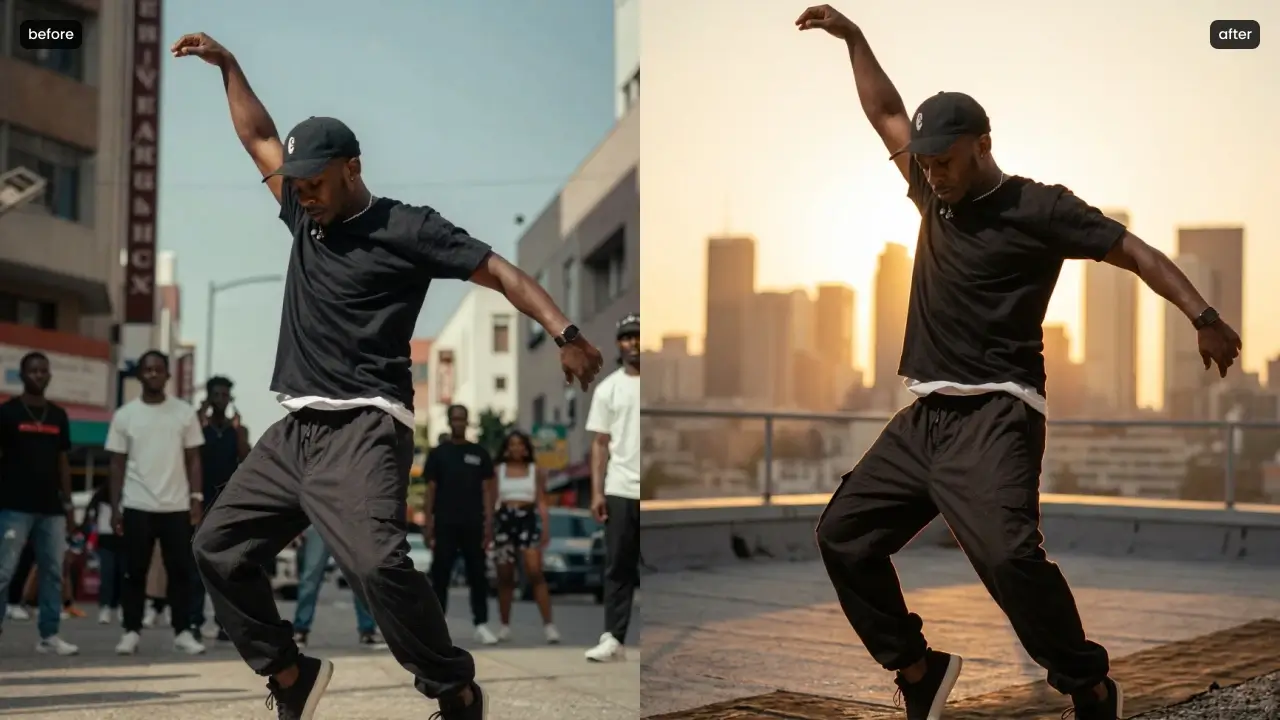
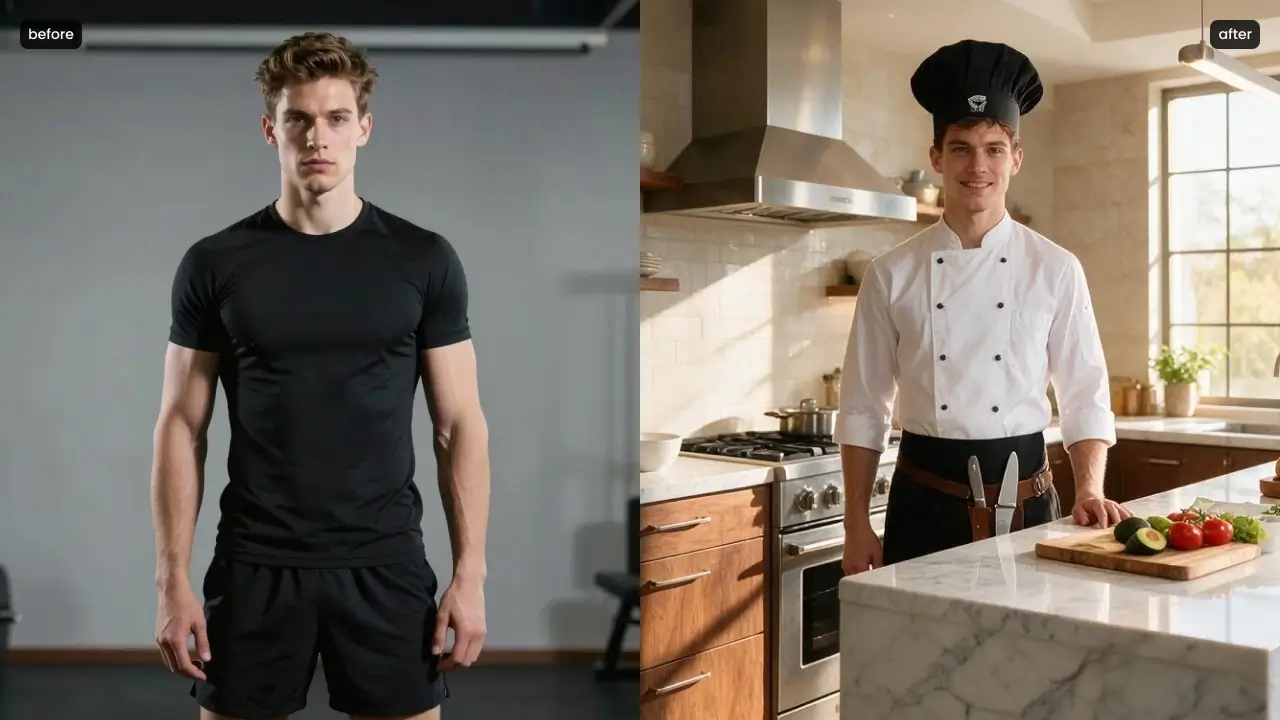
Change part of a picture, restyle the whole thing, or use your images as references for a new one — ten models behind one box, free daily edits without an account.
Input
JPG · PNG · WebP · HEIC, 20 MB
Models available
10, selectable per job
Modes
Region edit · restyle · reference
Max output
Up to 4K on Nano Banana 2
Layered export
On Seedream 5.0 Pro
Free tier
3 edits daily, no account
Your uploads
Deleted within 24 hours
Our one-line verdict: the most underrated half of AI imaging. Editing what exists beats regenerating from scratch on cost, control and how often you get what you actually pictured.
Image to image covers three jobs people arrive with separately: change one region of a photo, restyle a whole picture, or hand the model reference images to steer something new. All three beat text-to-image on control, because you're editing reality instead of describing it. The models diverge sharply on how you aim: some want you to point at the region, some want the instruction reasoned out of a sentence, and one hands the result back as editable layers. The table below is the routing map, and the free tier is there so choosing costs nothing.
Which model should handle your edit?
Ten engines, six jobs. Each is selectable in the generator above — start free, then take the link when the brief gets specific.
GPT Image 2.5
Edits accumulate across turns without the subject drifting, at roughly half the previous generation's latency. The model for refining rather than re-rolling.
Seedream 5.0 Pro
Point, lasso or sketch the region and describe the change — and it returns 10+ editable layers, so the next revision happens in your design tool instead of the prompt box.
Nano Banana 2
Google's default: Flash-speed edits up to 4K, with consistency across five characters and fourteen objects when a whole set needs the same treatment.
FLUX.3
Several reference images steering one render, hex-code colour fidelity and in-place editing at 4MP — the product-visual workflow, done natively.
Nano Banana Pro
Reasoning-backed edits for infographics, diagrams and text-heavy layouts, where changing one element mustn't break the numbers around it.
GPT Image 2.0
Tell it what to change in plain words: "swap the mug for a glass," "make this a watercolor," "put this logo on the tote bag." It returns the edited image. You can combine several reference images in one edit, and it writes labels, signs and packaging text cleanly.
How to transform an image, in 3 steps
Upload the image
JPG, PNG, WebP or HEIC up to 20 MB. Higher-resolution sources give the model more to preserve, which matters more here than in generation.
Say what changes — and what must not
The protection clause is the whole trick: 'replace the backdrop, keep the product, its shadow and the rim light exactly as they are.' Naming what to preserve is what keeps an edit surgical.
Pick a model and compare
Draft free, check the untouched areas really are untouched, then re-run on the model the table below suggests. Use the slider to compare against the original before downloading.
Where this works — and where it doesn't
The right column is the part most tools leave out. Knowing the failure modes before you upload saves more time than any prompt guide.
Where it works well
• Control that text prompts can't buy.
You're editing a real image, so composition, proportion and lighting are already correct — the model only changes what you named.
• Cheaper than regenerating.
One targeted edit beats twenty full generations hoping for the same framing. It's the difference between fixing and gambling.
• Multi-turn refinement.
On the newest models, edits stack across turns without the subject drifting — five successive changes still leave your product recognizably yours.
• Layered output on one model.
Seedream 5.0 Pro returns editable PNG layers, which means the last mile happens in your design tool rather than in another prompt.
Where it struggles
• Precise logos and fine print.
Exact logo placement and small text can drift when regenerated. Do the visual here, place the critical text in your design tool.
• Heavy edits become new images.
Ask for enough change and preservation breaks down — at some point the honest move is generating fresh from text with your image as a reference.
• Faces of people who didn't agree.
Your own images or ones you have rights to. No public figures, no minors, no edits designed to deceive or humiliate. Uploads are deleted within 24 hours.
• Upscaling isn't magic.
Editing a small, soft source produces a bigger soft result. Start from the best original you have.
What people transform
One shoot, every background
A single product photo placed in a dozen contexts — studio, lifestyle, seasonal — without rebooking a shoot or rebuilding a set.
Concepts into finished art
Restyling a rough sketch or a stock image into the project's visual language, then exporting layers to finish the job properly in Figma.
Localizing existing creative
Swapping text, props or seasonal details in a campaign image per market, while the layout and brand elements stay put.
Questions, answered straight
Any workflow where an existing picture is the input rather than just a text prompt: editing one region, restyling the whole image, or using reference images to guide a new one. All three are in the tabs above, and all three give you more control than describing a picture from scratch.
Related Tools
No source image? Generate one from a description.
A specialised edit: swap the outfit, keep the person.
Every engine, with one line each on what it wins.