 AIVideoFree
EveryGen AI Video Generator: What It Is, and a Free Way to Do the Same Work
Two different products now share the EveryGen name. Here's what each one does, how to tell them apart — and how to make the same kinds of videos here, across 14 models, with free daily drafts and no account.
(JPG, JPEG, PNG, WEBP, max 30 MB)
What it is
Multi-model AI video workspace
Two products
everygen-ai.com · everygen.ai
Core jobs
Text · image · video to video
Its standout
EveryGen Studio, multi-scene
Here
14 video models
Free here
3 drafts daily, no account
Affiliation
None — independent
Our one-line verdict: EveryGen is strongest at director-style, multi-scene films. For single clips, image-to-video and remaking a format, you can do the same work here free to start — and we'll tell you where EveryGen is the better fit.
Search "EveryGen AI" and you're looking at two businesses with nearly the same name. everygen-ai.com , run by EveryGen LLC, is a multi-model workspace: text-to-video, image-to-video and video-to-video across several engines, plus EveryGen Studio, a director-style tool that plans shots and keeps characters consistent across a multi-scene film. everygen.ai is a different product, formerly Viewmax, built around social templates and a conversational Wizard. Neither is connected to this site. What they share is the job people come to do — turn an idea, a photo or a clip into a short video — and that job you can do here too: fourteen video models behind one box, free daily drafts with no account, and a free watermarked preview before any credit moves. Where EveryGen genuinely goes further, this page says so.
Do EveryGen-style video work here in 3 steps
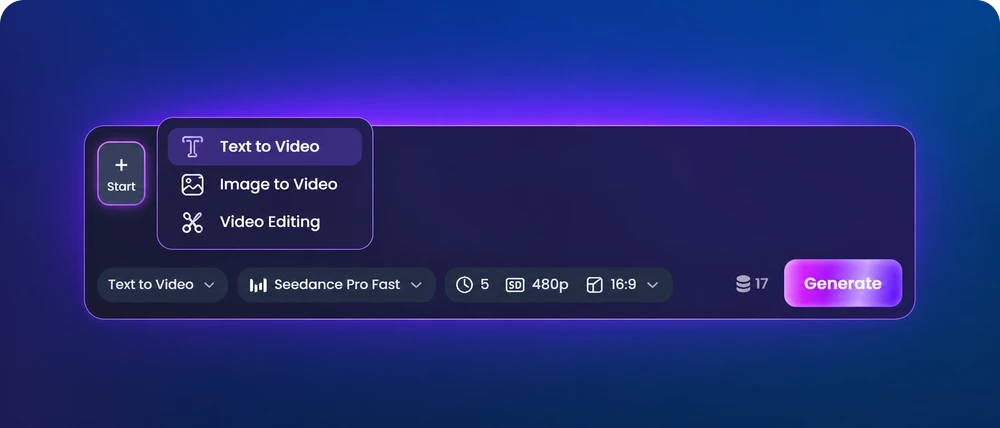
Pick the job
Text to video, image to video, or editing footage you already have — the same three entry points EveryGen offers, in the tabs above.
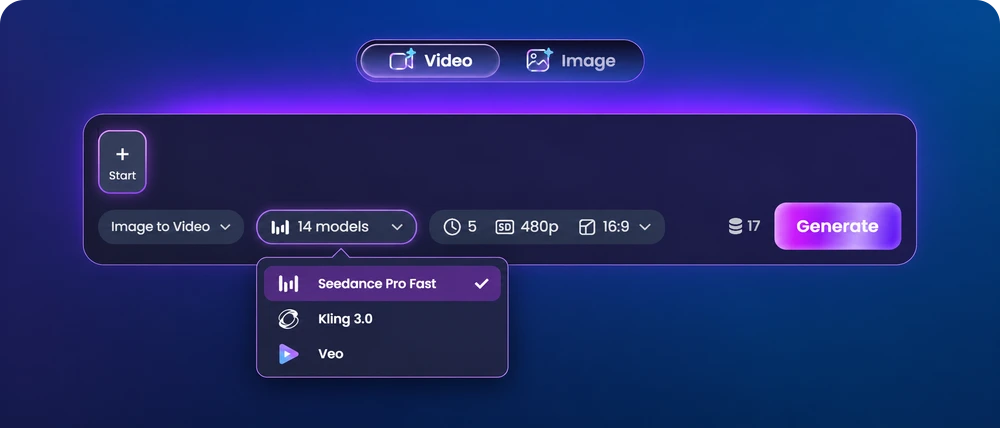
Choose the model
Fourteen video models behind one box. Each has its own page saying honestly what it wins and where it doesn't.
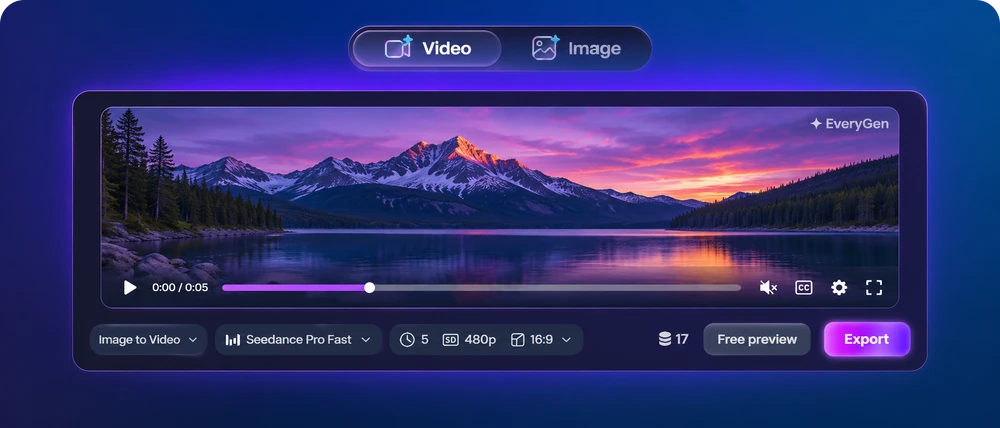
Preview free, then export
Draft on the free tier, check the full watermarked preview, and spend credits only on the version that holds.
What EveryGen does well — and where this site is different
A fair account of both. The left column is EveryGen's genuine strengths; the right is how the same work runs here, including where we're the weaker choice.
What EveryGen does well
• A director-style Studio.
EveryGen Studio plans shots and characters before it generates, and is built to keep characters and voices consistent across a multi-scene film — the gap most single-clip tools leave open.
• Many models in one workspace.
It's best understood as a model-access and workflow product rather than one proprietary model: you pick an engine per shot instead of committing to one.
• A cost estimate before you start.
It shows the credit cost for a plan before generating, which is the right instinct for a credit-based tool.
• Templates for social formats.
Ready-made templates for familiar short-form shapes, alongside open-ended generation.
Where this site is different
• Free drafts, no account.
Three free drafts a day without signing up, and a full watermarked preview on video jobs before any credits move — not just an estimate.
• Model pages that admit weaknesses.
Every engine here has a page that says where it loses, so choosing between Veo, Kling and Seedance isn't guesswork.
• Your footage, not someone else's link.
EveryGen's Short Clone accepts public TikTok or Reels links. We don't: Clone Cut works from built-in structures or footage you hold the rights to.
• Multi-scene is shorter here.
Kling 3.0's Director Mode composes up to six shots in one generation; longer films mean chaining clips. If a 2–3 minute story film is the brief, EveryGen Studio is the more complete tool — that's worth saying plainly.
The jobs people search EveryGen for
A product ad in several shots
Start with Kling 3.0's Director Mode for a scene with cuts, or Kling 4.0 when a brand kit should steer it. For a full multi-minute story film, EveryGen Studio's director workflow goes further.
Remaking a format that works
Clone Cut keeps a structure's action, camera move and timing while you swap in your own product — from built-in templates, so there's no rights question.
Animating a still
Image to video, with Grok Imagine 1.5 when the photo must be kept faithfully as the first frame. Free daily drafts to find the right motion.
Your uploads, and our rules
What happens to anything you upload here — and the one place our rules differ from EveryGen's.
What happens to your uploads
• Deleted within 24 hours.
Uploads and rendered output are removed from storage automatically.
• Not used for training.
Your images and footage never enter a training set — ours or a partner's.
• Nothing published.
No public gallery built out of what people upload.
• No affiliation.
AIVideoFree is independent and is not connected to EveryGen LLC, everygen-ai.com or everygen.ai.
What we won't process
• Someone else's footage.
We don't accept links to other creators' posts. Use them as a structural reference, then work from a template or your own clip.
• Real people who didn't agree.
No public figures, and no swapping or animating people who haven't consented.
• Anyone under 18.
In any upload, in any context.
• Anything deceptive.
Nothing built to pass as real footage of an event that didn't happen.
EveryGen AI vs AIVideoFree, job by job
Questions, answered straight
An AI video and image workspace. The best-known version, at everygen-ai.com, is run by EveryGen LLC and combines text-to-video, image-to-video and video-to-video across multiple models with EveryGen Studio, a director-style tool for multi-scene films that plans shots and keeps characters consistent. It also offers templates and a Short Clone tool for remaking short-form videos.
Other tools worth a selfie
Remake a short-form structure with your own product, from templates or your footage.
Fourteen models behind one prompt box, routed by job.
Every engine we run, with one honest line each.